From Requirements to Rollout: Evaluating, Selecting, and Implementing an LMS
The Challenge
A pharmaceutical company needed a modern Learning Management System (LMS) to support training globally. Their existing training processes were fragmented:
• Training content was hosted on an online repository, and the internal processes to assign courses and track results were time-consuming and error-prone as they were handled manually through emails and spreadsheets.
• Also, audit and compliance requirements were important to keep in mind when selecting a new platform to manage training more effectively.
The company wanted an LMS that would:
• Centralize all training content and completion records.
• Support role-based learning paths aligned to clinical study phases (start-up, in-study, end-of-study).
• Offer robust reporting for audits and inspections.
• Scale to multiple languages and global teams.
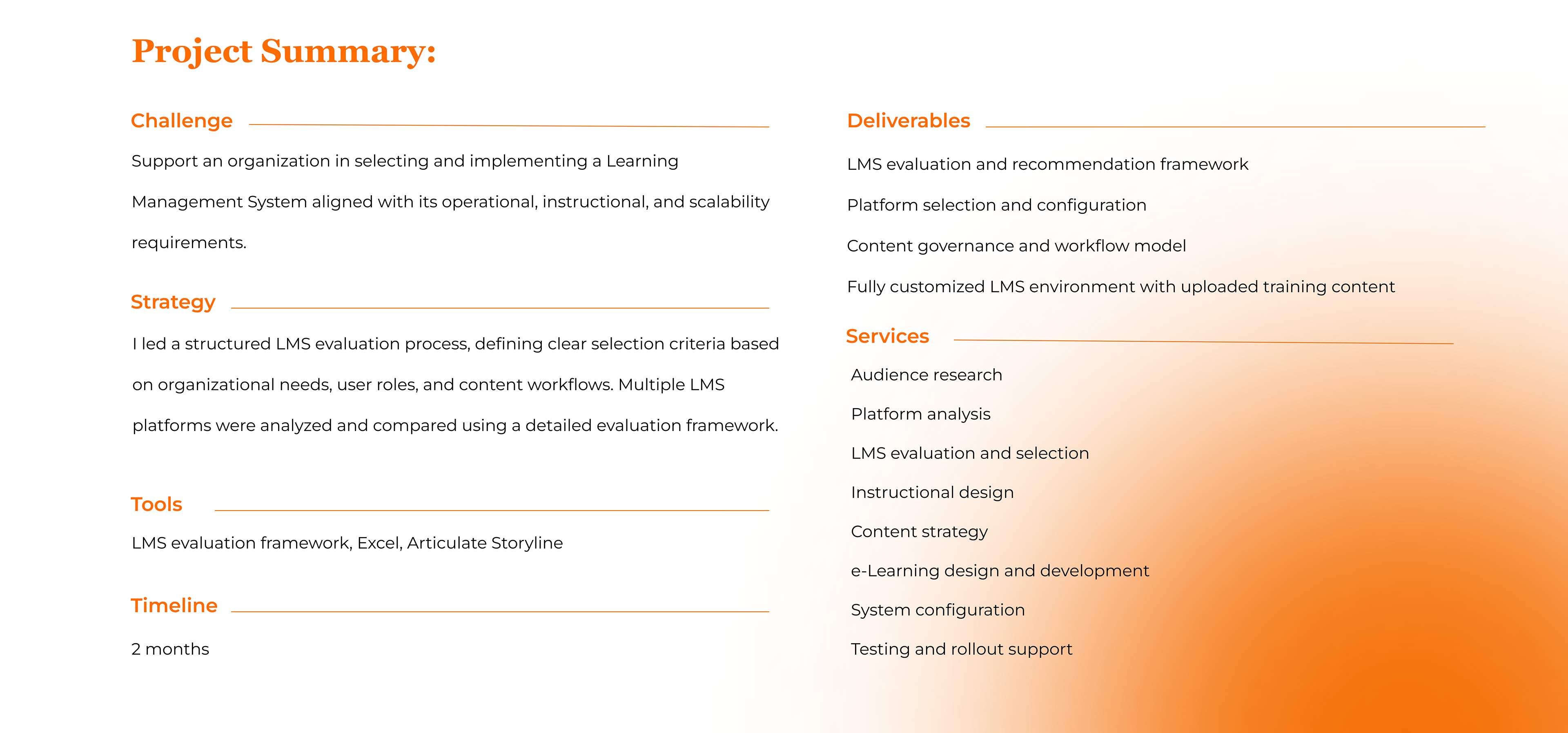
I was brought in to evaluate potential LMS platforms, lead the selection process, design the training workflow, and fully implement and customize the chosen system.
Project Objectives
Together with the client, we defined clear objectives:
• Find the right LMS fit based on functional, technical, compliance, and budget requirements.
• Design a sustainable workflow for how training content moves between departments and into the LMS.
• Implement and customize the LMS not only to support the client's processes but also to reflect their branding.
• Ensure adoption and governance through clear role definitions, documentation, and reporting structures.
My Role
• LMS Evaluation Lead: Defined clear functional, technical, and compliance requirements; built the comparison criteria matrix; tested 10 LMSs; and facilitated detailed assessments of each vendor.
• Learning Designer & Content Owner: Transformed clinical content into structured courses, learning paths, and assessments.
• LMS Implementation Specialist: Configured and customized the chosen platform, set up user roles, workflows, and email notifications; uploaded and tested all training content.
• Process & Workflow Designer: Mapped how content and data would flow between departments and users.
• Governance and Reporting: Set up governance and reporting to make the system sustainable over time.
My Approach
A. Needs Analysis & Requirements Definition
• Met with stakeholders from all departments to understand training needs, regulatory considerations, and current pain points.
• Identified core use cases: onboarding, role-specific training, study-specific/department-specific training, refresher courses, and remediation.
• Defined the "must-haves" vs. "nice-to-haves" for the new LMS (e.g., role-based paths, detailed reporting, mobile-friendly interface, multilingual support).
B. LMS Evaluation & Vendor Comparison
To guide the selection, I created a comprehensive Excel comparison matrix and evaluated each LMS against a set of weighted categories, including:
• Course and learning path management
• User and role management
• Reporting and analytics
• Compliance and audit support
• User experience and accessibility
• Multilingual capabilities and content localization
• Integrations, IT/security requirements, and scalability
• Vendor support and roadmap
I then:
• Shortlisted platforms that met the non-negotiable requirements.
• Organized demos and hands-on testing using real client scenarios.
• Scored and compared each LMS using the matrix so the final decision was evidence-based, not just "demo-based."
C. Governance & Role Design
Before configuring the LMS, I worked with the client to define a clear governance model:
• Account Owner: Overall platform ownership and vendor relationship management.
• Operations Admin: User management, assignments, notifications, and reporting.
• IT Admin: Technical support and alignment with IT policies.
• Content Owner/Creator: Course structure, learning paths, assessments, and updates.
• SMEs/Functional Leads: Content approval, performance review, remediation decisions.
This step ensured that responsibilities were clearly defined and the platform could be managed sustainably after launch.
D. Implementation
• Workflow Design: Using the client's existing processes as a starting point, I designed and documented an end-to-end LMS workflow.
• Configuration, Customization & Content Creation: I applied the client's branding to the platform. Configured user roles and permissions to match the governance model. Uploaded and organized training content. Configured email notifications for enrollments, reminders, and expirations.
• Launch, Training & Handover: I ran admin training sessions to show how to create users, assign paths, and generate reports. Documented all key workflows and role responsibilities for future reference.
The Results
• Centralized training operations: All mandatory and role-based training moved into a single platform.
• Improved visibility and control: Internal teams could easily see who had completed training, who needed remediation, and where training gaps existed.
• Audit-ready reporting: Standard and custom reports provided reliable evidence of training completion and remediation for inspections.
• Scalable model: The governance structure, workflows, and documentation allowed the client to add new studies, roles, and languages without redesigning the entire system.
• Reduced manual effort: Automations (notifications, enrollments, expiration rules) significantly reduced manual tracking via spreadsheets and email.
What I Bring to Future LMS Projects
Selecting an LMS is not just about comparing feature lists; it is about designing a learning ecosystem that fits your processes, your people, and your compliance needs.
At M Creative Agency, I help clients:
• Translate real-world training challenges into clear LMS requirements.
• Evaluate and select the right platform with a structured comparison framework.
• Design workflows, governance, and content structures that make the system sustainable.
• Configure, customize, and populate the LMS so it is ready for learners from day one.